Last Updated on February 23, 2025
CellPay, a new payment service has been launched in Nepal, that enables payment through web and mobile apps. As known, they have already got the license of the payment service provider (PSP) from Nepal Rastra Bank. CellPay is owned by IMS Group, developed with a vision to enhance the application value of the telecommunication services for the mass consumer market in Nepal.
With likes of eSewa, Khalti, another payment service provider is here to serve people. Although the number of such platforms is already huge for a small country like Nepal, unique services and features will definitely attract customers.

CellPay allows the fund transfer and payments directly from the bank account. So, people need not create a wallet in this platform. Unlink other payment platforms, CellPay is not wallet based. With the launch, CellPay provides a promotional offer with 100 Rs balance and more (read below).
As the payment doesnot require any card, any wallet, there is no any hassle for the payment.
CellPay is a digital payment platform, which is 100% owned by Nepalese. They say they use international level security to protect all of the transaction, with high-end encryption technology.
Features
Here are the features of CellPay.
- Make instant fund transfer: Using CellPay, customer can transfer fund in real-time and get the notification of fund transfer instantly.
- Fund transfer to mobile number: Fund transfer can also be done to the mobile number, after which the receiver’s bank account will be credited. If the transfer is done to non-registered phones, the transaction will be rejected.

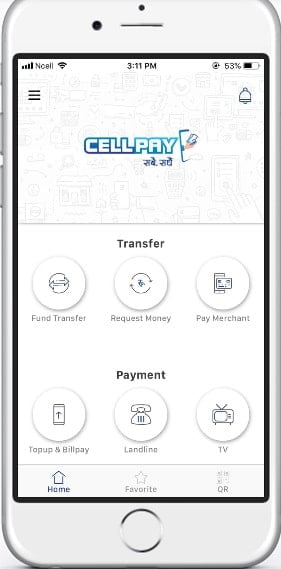
- Top Up and bill payment: CellPay supports mobile top-up, utility bill payment, physical merchant/shop payment, online shop payment, etc.
- Multiple bank account link: CellPay also allows linking multiple bank accounts in the platform. They currently have a partnership with 10 commercial banks of Nepal which are:
- Century bank
- Citizens bank
- Everest bank
- Himalayan bank
- Mega Bank
- Nepal Bangladesh Bank
- NIC Asia
- Kaman Sewa Bikash Bank
- Muktinath Bikash bank
- ICFC
- CellPay will add more banks to partner with them.
- QR code-based payment: CellPay allows to make payment by scanning a QR code of the receiver either an individual or a merchant.
- Nepali Language: CellPay also supports the Nepali language to use in the application.
- Hassle-free payment: With CellPay, there is a hassle-free payment, without the need to transfer money to Wallet, as CellPay is not a Wallet service.
How to register and use CellPay?
To use the CellPay app,
- Customer needs to download the app from the Android play store or Apple Store.
- Open the app and Sign up with your info (Name, Mobile number, and email address). Make the user type as a customer.
- Enter the Pin number, confirm the PIN (which is a password for your login) and authenticate the request by OTP in your mobile number.
- Now, you can enter into the app by using the Username of mobile number and password of the 6-digit PIN. You can also do the payment from the web using the same login. But the app can be used in only one device. So, if you login in the computer, you will be logged out from the mobile app.
- After entering inside, you have to update your KYC, which will take some time to activate.
- Now that you activated KYC update, you need to link your bank account with CellPay.
- After linking, you are ready to pay for a mobile top-up, fund transfer, utility bill payment and many more.
Promotional offer
CellPay also provides a promotional offer with the launch. CellPay will provide Rs 100 free top-up after linking your bank account.
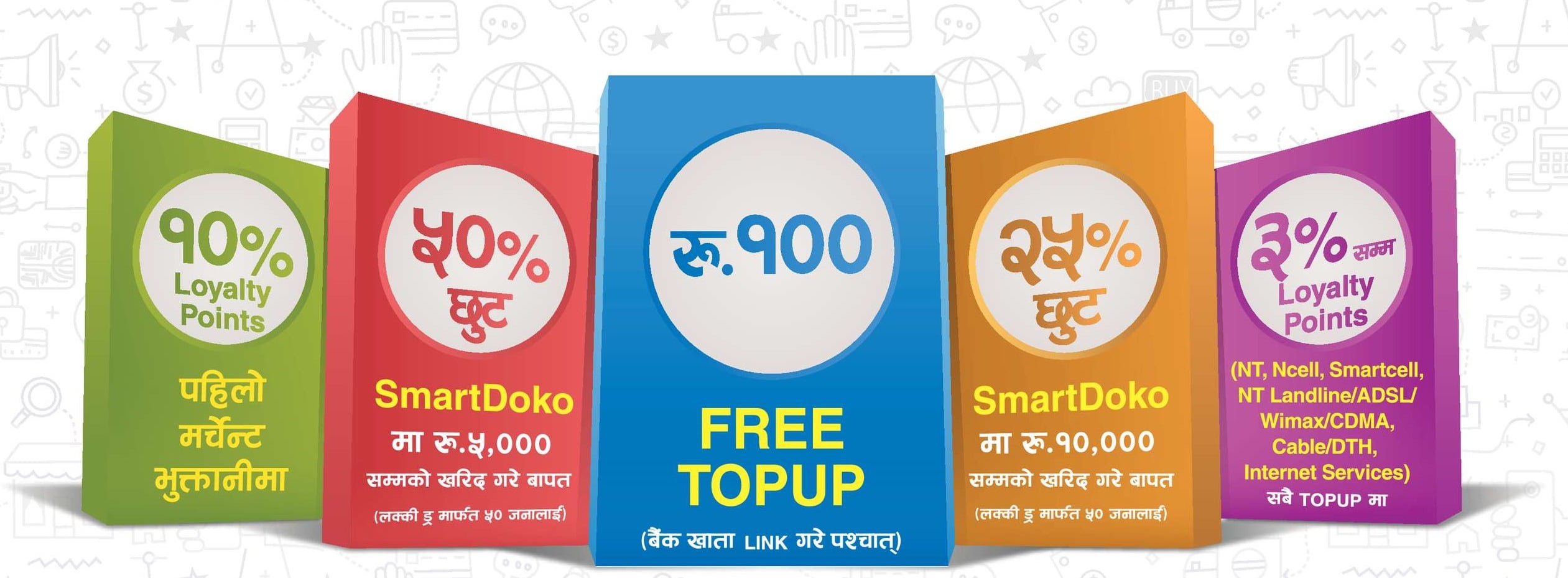
Similarly, some of the other offers are:
- 10% of loyalty points with merchant payment.
- 50% discount in SmartDoko for purchase of Rs 5000 or more for 50 lucky customers.
- 25% discount in SmartDoko Purchase of Rs 10,000 or more for 50 lucky customers.
- 3% loyalty points for a top-up of NT, Ncell, SmartCell, Landline, ADSL, WiMAX, CDMA, FTTH, Cable/DTH, internet services.
This promotional offer is valid from Shrawan 15, 2076 to Bhadra 14, 2076.
Verdict
With the availability of various payment service provider, CellPay wants to provide the payment service with a differentiation strategy that is without a wallet. If they can add more banking partners, attracting more users with more peculiar features, CellPay will definitely the digital payment provider of our choice.