• Ntc
  • Ncell
  • Samsung
  • Apple
  • Xiaomi
  • 2G to 5G
  • ISP
  • NTA
  • Tariffs
  • About us
Thursday, June 18, 2026
NepaliTelecom
  • Home
  • Telecom News
    • News
    • NTA
    • Ntc
    • Ncell
    • Smart Cell
    • Digital Nepal
  • Gadgets
  • How To
  • SpeedTest
  • Contact
  • About
No Result
View All Result
  • Home
  • Telecom News
    • News
    • NTA
    • Ntc
    • Ncell
    • Smart Cell
    • Digital Nepal
  • Gadgets
  • How To
  • SpeedTest
  • Contact
  • About
No Result
View All Result
NepaliTelecom
No Result
View All Result

Home » How To » How to Check Own Number in Ntc, Ncell? | [2026 Updated]

How to Check Own Number in Ntc, Ncell? | [2026 Updated]

Dinesh by Dinesh
May 25, 2026
in How To
Reading Time: 5 mins read
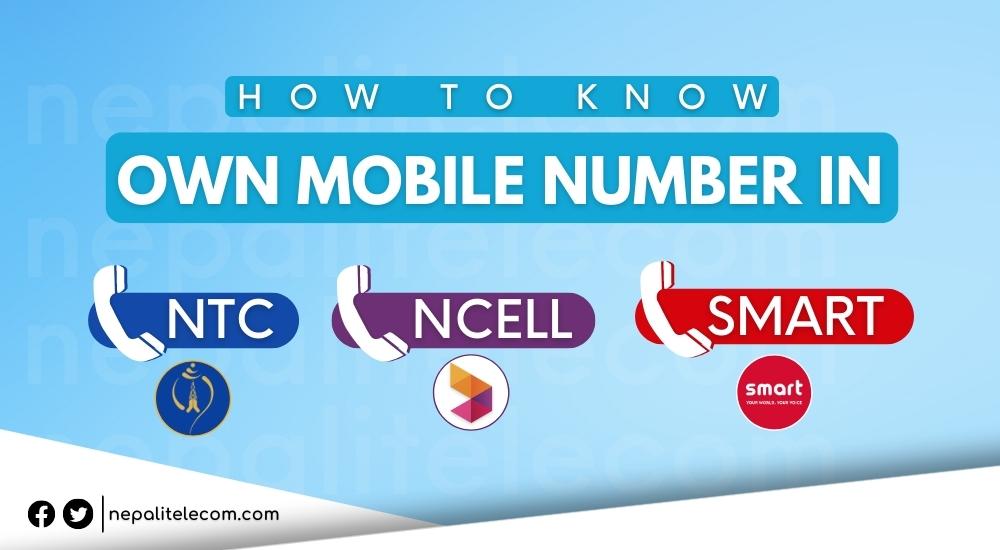
How to check own mobile number in Ntc Ncell Smart Cell
Follow us on

Last Updated on May 25, 2026

Summary✨

  • To check own mobile number Ntc, dial *9#; it will display your number on the screen.
  • For Ncell, dial *903# or *103# to see your number.
  • You can also find your Ntc or Ncell number using the telecom app on your phone.
  • A simplified way to check without dialing includes using the SIM pack or sending an SMS.
  • Nepal Telecom and Ncell provide these methods to help users easily find their mobile numbers.

In this post, you will find ways to check own number in Ntc and Ncell. The Nepali telecom operators have provided a special number (USSD code) with which you can find the mobile number of the SIM card being used, in 2026. So, in this post, you will find the easy process and the reasons. Also find a quick check method that works universally.

Table of contents

  • How to check Ntc phone number? [2026]
  • How to check your own Ncell SIM number? [2026]
  • Reason to check/find your own number
  • Quick Checking without dialing any number
  • Frequently Asked Questions (FAQs)

How to check Ntc phone number? [2026]

To check Ntc number,

  • you need to dial *9# and call, then it will provide the Nepal Telecom (Ntc) number of that particular SIM card.
How to check Ntc number?

Check out: Important numbers/codes in Ntc for the subscription.

How to check your own Ncell SIM number? [2026]

To check your own Ncell number,

  • you need to dial *903# or *103#. Then it will provide its own Ncell number.

Siimlarly, if you have already installed the telecom operator’s (Ntc, Ncell) mobile app, you can also get the mobile number there.

Check out: Important numbers in Ncell for the subscription.

Reason to check/find your own number

Some people forget their own mobile number when somebody asks for it. Especially when they are traveling or using a new SIM number. So that time, they need to dial the person asking for the mobile number. Considering this, Nepal Telecom (Ntc), Ncell provided the above method to check their own mobile number. So, i is possible by dialing a code number from their phone.

  • Mobile number range in Ntc, Ncell, Smart Cell.

Quick Checking without dialing any number

There are some quick methods to find your number, without dialing any number. First, if you can find the SIM card pack you got while buying it, then you can easily find your mobile number. Some people also save the pack or take a photo of the SIM pack to get the mobile number.

Likewise, some smart people give a miss call or send an SMS to another number to identify their own number. As a matter of fact, this method work for all mobile networks in the whole world.

Now, let’s find the process to identify their own number for SIM card of Nepal.

  • Check out How to check Ntc Ncell SIM owner name and transfer ownership

Frequently Asked Questions (FAQs)

How do I find my own Ntc number?

To find your own Ntc number, you need to dial *9# on your Mobile and your number will appear on the screen.

How do I check my own Ncell number?

To find your own Ncell number, you need to dial *903# or *103# and the number will pop up on your screen.

Tell us what you think of the process to check your own mobile number in Ntc, Ncell.

Follow us on Facebook, Google News, and Viber to get the latest news, and information about Nepal Telecom, Ncell, Smart Cell, ISPs, mobile apps, and phones in Nepal.

Latest Posts

  • Hello Sarkar to get AI integration, work via app, web, social media
  • Springbase.ai available in Nepal to transform businesses
  • eSewa, IMS launch Enterprise Payment Solution for clients
  • Ncell paid government Rs 14.51 arba tax in nine months of FY 2082/83
  • Nepal Telecom warns customers about fraudulent SMS regarding bank, ConnectIPS
  • Latest fiber users report 2083: WorldLink, Dish Home top
  • 4G users in Nepal: 2.67 crores | Latest NTC, Ncell figures
Comments
Previous Post

Government appoints MD in Nepal Telecom

Next Post

Lenovo buys Motorola: Google’s Smartphone business.

Dinesh

Dinesh

Senior Editor; An experienced tech writer covering news mostly on telecommunication, internet, latest tech & trends, and Gadgets. Being a technophile, I am particularly fascinated by the evolution of mobile networks in Nepal from legacy networks (2G, 3G) to 4G (with VoLTE, VoWiFi, eSIM) and the prospects of the upcoming 5G, and equally enthralled by the development of internet from the dial-up connection to the 2 Gbps XGS-PON fiber broadband technology and their transformative impact in the country.

Related Posts

How to watch world cup Football matches in Nepal
How To

How to Watch Football World Cup 2026 Live in Nepal? Find All Fixtures

June 11, 2026
How mobile network works
How To

How does Mobile network work? Complete Guide to Signal, Towers

May 30, 2026
How to find who is connected or using your Wifi internet?
How To

How to See Who’s Using Your WiFi: 5 Methods (Nepal 2026)

May 26, 2026
Load More

You may also read

How to watch world cup Football matches in Nepal

How to Watch Football World Cup 2026 Live in Nepal? Find All Fixtures

June 11, 2026
Ntc FTTH

Nepal Telecom Fiber Internet: Price, Speed, Offer, Packs [2026]

June 12, 2026
FIFA World cup 2026 full fixtures in Nepali time

FIFA World Cup 2026: Schedule in Nepali Time, Groups & Venues

June 2, 2026
DGo app FIFA World cup 2026 Streaming Nepal fee

DGo app to stream FIFA World Cup 2026 matches, subscription fee out!

June 11, 2026
FIFA Football World Cup 2026 Fixtures

Himalaya Sports to broadcast FIFA Football World Cup 2026

May 14, 2026
How to check SEE Result 2082 online Nepal

How to Check SEE Result 2082 Online: NTC, SMS, Websites & Marksheet Guide

May 11, 2026
NepaliTelecom

Nepalitelecom.com is a website/blog which provides information regarding telecommunication in Nepal along with Gadgets and has been doing some research for the telecom market in Nepal. We intend to do more of such survey/research in the Nepalese Telecom sector.

SiteMap

📢 Follow us on Viber to get the latest news, and information about Nepal Telecom, Ncell, ISPs, mobile apps, and phones in Nepal.

Popular Categories

Ntc | Ncell | Telco News | ISP | NTA | Gadgets

Recent Posts

  • Hello Sarkar to get AI integration, work via app, web, social media
  • Springbase.ai available in Nepal to transform businesses
  • eSewa, IMS launch Enterprise Payment Solution for clients

© 2026 Nepalitelecom

No Result
View All Result
  • Home
  • Telco News
  • Gadgets Nepal
  • Nepal Telecom
  • Ncell
  • Digital Nepal
  • How To
  • Editors’ Pick

© 2026 Nepalitelecom