• Ntc
  • Ncell
  • Samsung
  • Apple
  • Xiaomi
  • 2G to 5G
  • ISP
  • NTA
  • Tariffs
  • About us
Wednesday, July 29, 2026
NepaliTelecom
  • Home
  • Telecom News
    • News
    • NTA
    • Ntc
    • Ncell
    • Smart Cell
    • Digital Nepal
  • Gadgets
  • How To
  • SpeedTest
  • Contact
  • About
No Result
View All Result
  • Home
  • Telecom News
    • News
    • NTA
    • Ntc
    • Ncell
    • Smart Cell
    • Digital Nepal
  • Gadgets
  • How To
  • SpeedTest
  • Contact
  • About
No Result
View All Result
NepaliTelecom
No Result
View All Result

Home » Nepal Telecom » NTC Loan Code 2026: How to take Rs 30 Sapati Free

NTC Loan Code 2026: How to take Rs 30 Sapati Free

Dinesh by Dinesh
July 28, 2026
in How To, Nepal Telecom
Reading Time: 7 mins read
NTC Loan Sapati
Follow us on

Last Updated on July 28, 2026

Summary✨

  • Nepal Telecom launches the Ntc Loan service, allowing prepaid customers to make calls without balance, known as the Sapati service.
  • Customers can take a loan of Rs 30 via SMS by sending ‘START’ to 1477 or by dialing *1477# for activation.
  • The service has no activation charges and ensures no call drop due to insufficient balance.
  • To deactivate the loan service, send ‘STOP’ to 1477, and the remaining credit will be deducted from the next top-up.
  • This loan service is only available for SIM cards that are older than 3 months.

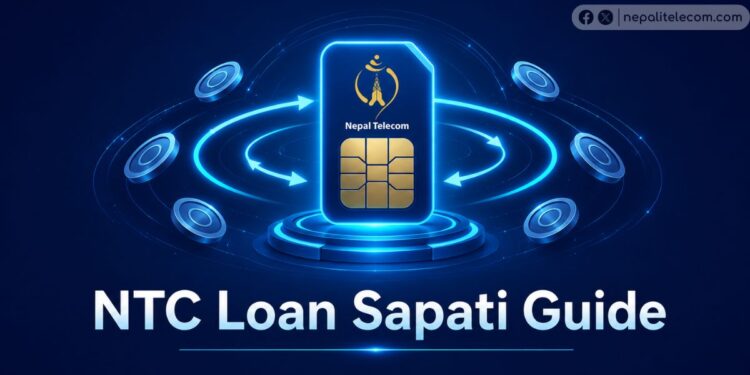
Nepal Telecom launches Ntc Loan aka Sapati service to allow GSM prepaid customers to make a call even when there is no balance. The sapati service is also called Namaste Credit service. Further, the best part of the service is that it is available free of charge. So, let’s learn the process of how to take loan service in 2026 and FAQs below.

✅ How to subscribe Missed Call Alert in Ntc?

Previously, the service was available in Ncell for a long time but now the Nepal Telecom prepaid customers can get loan too. The amount was Rs 20 for a long time and not it is updated to Rs 30 (after Shrawan 15, 2083). Furthermore, NTC will not charge any amount for providing the service. Also, find more information about Ncell loan Offer.

Table of contents

  • Ntc loan service features
  • How to take loan in Ntc SIM? [2026] | Loan code
  • Frequently Asked Questions (FAQs) | Ntc loan code

Ntc loan service features

Here are the features of the NTC credit service/loan.

  • No Call Drop: If you activate the loan service, then your call will not drop due to no balance issue. Similarly, there will be no extra charges for the activation of the loan service.
  • Similarly, the credit balance is increased to Rs 30 from Rs 20.
  • Then, the same credit will be cut from your mobile phone account in the next top-up.
  • However, the credit will recover partially when the top-up is less than the loan amount, but it should cross 60%.
  • And the code used for the Ntc loan service is 1477.

➤➤How to divert/forward/transfer and hold Calls in Ntc?

How to take loan in Ntc SIM? [2026] | Loan code

To take the loan in Ntc, you need to

  • Go to your message box
  • Type Start and Send it to 1477 (Ntc Loan Code)
  • You will get an activation message if your SIM card is more than 3 months old.

If you want to activate Ntc Loan via USSD, you need to

  • Go to your phone dialer and
  • Dial *1477# and Select 1 for activation

Whereas to get information about the loan Sapati service, customers need to

  • send a message status to 1477

Likewise, to stop the Nepal Telecom loan Sapati service, customers need to

  • send a message stop to 1477

The loan service is only available for prepaid customers who have been active for more than 3 months. Then, NTC will take back the balance provided by the credit service from your balance in the next recharge. Earlier, you could only use the same balance for calls, SMS, and data browsing. But now, you can only buy packages worth less than Rs 30.

✔️ How to send balance from your Ntc SIM?

Ntc loan service

Frequently Asked Questions (FAQs) | Ntc loan code

We have been getting many queries about the service. So, here are the Frequently asked questions (FAQs) for the Ntc loanand its activation code.

How much amount loan can I get with the Ntc Credit service?

You can take Rs 30 loan in Ntc.

How do I take the NTC loan?

To take the Ntc loan, you need to send an SMS “START” to 1477. Or you can do it via *1477#.

What is the cost of the loan service in Ntc?

There is no service charge for loan service in Ntc.

How to deactivate the Namaste Credit Ntc loan service?

To deactivate the Ntc loan, you have to type STOP and send an SMS to the number 1477. After this, the remaining credit will be deducted, and you will get a confirmation message.

Can I transfer my Ntc credit balance to someone else?

No, you cannot transfer the credit balance to someone.

Why I cannot get the Ntc loan service?

To get the loan service, you need to have a SIM card that is older than 3 months. That is, if you take a sim card now, you can get the loan service after 3 months of usage.

Can I buy a data pack or voice pack or SMS pack with the loan amount?

Yes, you can buy the data/voice/SMS pack with the Loan amount.

✔️You do not want to forget to read the latest data packages in NTC.

Tell us if you have any queries about the loan service and the process to take, in the comment below?


Follow us on Facebook, Google News, and Viber to get the latest news, and information about Nepal Telecom, Ncell, Smart Cell, ISPs, mobile apps, and phones in Nepal.

Latest Posts

  • Comm. Minister Timilsina directs electricity supply to all NTC towers
  • Nepal Telecom completes various tasks to enhance quality improvement
  • NTC sets up 855 BTS sites in FY 2082/83 as FTTH coverage improves
  • iOS 26.6 released with Spotlight improvement; how to download it?
  • Meta Announces Partnership with Data World to Expand Edge Infrastructure in Nepal
  • Nepal Telecom brings Monsoon Offer 2026/2083
  • Ncell refunds extra data charges, technical issue resolved
Comments
Previous Post

Analog TV Shutdown in Kathmandu, Plans to Implement All Over The Country

Next Post

Kathmandu Metropolitan to install Free WiFi in Kathmandu

Dinesh

Dinesh

Senior Editor; An experienced tech writer covering news mostly on telecommunication, internet, latest tech & trends, and Gadgets. Being a technophile, I am particularly fascinated by the evolution of mobile networks in Nepal from legacy networks (2G, 3G) to 4G (with VoLTE, VoWiFi, eSIM) and the prospects of the upcoming 5G, and equally enthralled by the development of internet from the dial-up connection to the 2 Gbps XGS-PON fiber broadband technology and their transformative impact in the country.

Related Posts

Nepal Telecom NTC tower
Nepal Telecom

Comm. Minister Timilsina directs electricity supply to all NTC towers

July 29, 2026
Nepal Telecom NTC logo high resolution
Nepal Telecom

Nepal Telecom completes various tasks to enhance quality improvement

July 29, 2026
Nepal Telecom Ntc office
Nepal Telecom

NTC sets up 855 BTS sites in FY 2082/83 as FTTH coverage improves

July 29, 2026
Load More

You may also read

Ntc FTTH

Nepal Telecom Fiber Internet: Price, Speed, Offer, Packs [2026]

July 28, 2026
Samsung Innovation Campus AI Course Nepal

Samsung Nepal launches a new AI course in Nepal

July 26, 2026
Latest Vianet logo

Vianet Internet Packages in Nepal: Prices, FUP, and ViaTV

June 8, 2026
how to check Ntc Ncell SIM owner name change Nepal 2026

How to Check & Change Ntc, Ncell SIM Owner Name [2026 Update]

June 24, 2026
New WorldLink logo

WorldLink Internet Packages: Price, Offers, FUP, 2026 update

June 12, 2026
Nepal Telecom Ntc customer care numbers

Ntc Customer Care Number for Complain & Info Query [2026]

June 26, 2026
NepaliTelecom

Nepalitelecom.com is a website/blog which provides information regarding telecommunication in Nepal along with Gadgets and has been doing some research for the telecom market in Nepal. We intend to do more of such survey/research in the Nepalese Telecom sector.

SiteMap

📢 Follow us on Viber to get the latest news, and information about Nepal Telecom, Ncell, ISPs, mobile apps, and phones in Nepal.

Popular Categories

Ntc | Ncell | Telco News | ISP | NTA | Gadgets

Recent Posts

  • Comm. Minister Timilsina directs electricity supply to all NTC towers
  • Nepal Telecom completes various tasks to enhance quality improvement
  • NTC sets up 855 BTS sites in FY 2082/83 as FTTH coverage improves

© 2026 Nepalitelecom

No Result
View All Result
  • Home
  • Telco News
  • Gadgets Nepal
  • Nepal Telecom
  • Ncell
  • Digital Nepal
  • How To
  • Editors’ Pick

© 2026 Nepalitelecom