• Ntc
  • Ncell
  • Samsung
  • Apple
  • Xiaomi
  • 2G to 5G
  • ISP
  • NTA
  • Tariffs
  • About us
Friday, June 19, 2026
NepaliTelecom
  • Home
  • Telecom News
    • News
    • NTA
    • Ntc
    • Ncell
    • Smart Cell
    • Digital Nepal
  • Gadgets
  • How To
  • SpeedTest
  • Contact
  • About
No Result
View All Result
  • Home
  • Telecom News
    • News
    • NTA
    • Ntc
    • Ncell
    • Smart Cell
    • Digital Nepal
  • Gadgets
  • How To
  • SpeedTest
  • Contact
  • About
No Result
View All Result
NepaliTelecom
No Result
View All Result

Home » Apps » iOS 18.3 released with Starlink connectivity, how to download?

iOS 18.3 released with Starlink connectivity, how to download?

Dinesh by Dinesh
January 29, 2025
in Apps, Tech News
Reading Time: 4 mins read
iOS 18.3 Starlink connectivity
Follow us on

Last Updated on January 29, 2025

Apple has officially released the iOS 18.3 update with some must-have features such as Starlink connectivity, Visual Intelligence, etc. The latest OS update brings satellite connectivity, key AI improvements, and security bug fixes.

Like iOS 18.2, the iOS 18.3 is not the next-generation update, however, it brings vital capabilities to eligible iPhones. So, it is a must-have update for your premium handset. Here, we have brought you all the key features the iOS 18.3 brings to your iPhone.

iOS 18.3 Features

Starlink connectivity

The iOS 18.3 brings Starlink satellite connectivity support. The service comes thanks to collaboration with US telco T-Mobile. But do note that this feature is now going to be available in Nepal as Starlink is not in Nepal and so is T-Mobile. It means that Starlink service for iOS 18.3 users is exclusive to T-Mobile subscribers in the US. Check latest details: Starlink satellite internet in Nepal | Latest Update

Musk confirmed the launch of Starlink communication on eligible iPhones. In an X post, he said that “medium resolution images, music & audio podcasts should work” at present. With the next-generation constellation, it will support medium resolution video as well.

The feature allows users to send text in times of emergency even if there’s no cellular network available. SpaceX and T-Mobile are working on bringing voice and data services in the future. It’s the latest milestone for SpaceX’s Direct-to-Cell communication project.

starlink-direct-to-cell
SpaceX’s Direct-to-Cell illustration

Visual Intelligence upgrades

The iOS 18.3 comes with more AI additions. Users of iPhone 16 can now add events on their calendars from posters or flyers using the camera. Additionally, Visual Intelligence can detect objects, plants, or animals. It recognizes signs on documents that you can copy share, past, etc. You can use this feature to extract information about things you need to know.
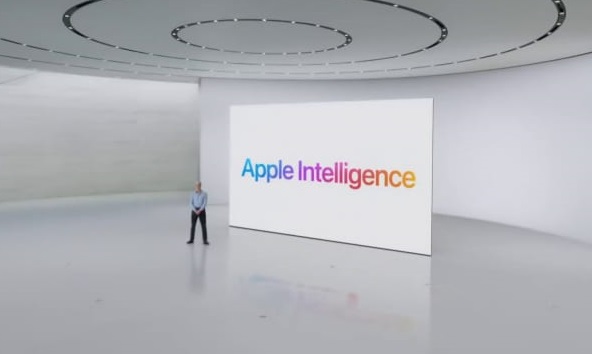
Apple-Intelligence-launch

Apple Intelligence democratized

The update enables Apple Intelligence to all supported iPhones by default. Previously, you would have to choose to use the feature. Following the update, new users would see the AI features on their eligible iPhones working by default.

How to turn off Apple Intelligence on iPhones?

But you can turn off Apple Intelligence on iPhones with the steps below:

  • Go to Settings
  • Tap on Apple Intelligence & Siri
  • Deactivate the button next to Apple Intelligence

NOTE: Apple Intelligence is only available for iPhone 15 Pro models and all iPhone 16 models including the iPhone 16 Pro and Pro Max variants.

Digitize details

The update also lets you digitize business cards, notes, or other documents. The feature is embedded with the Camera Control on the iPhone 16 Series for seamless integration.

Notification summaries

The summary thing with the iOS 18.3 is getting better. The new update gives stylistic changes to AI-generated notification summaries on iPhone 15 and iPhone 16 Series. The summaries get italic which helps you detect it from regular notifications.

At the same time, you can manage settings for notification summaries from the Lock Screen.

How to Download and Install iOS 18.3?

To download and install iOS 18.3, do the following:

  • Go to Settings on your iPhone
  • Go to General > Software Update
  • Tap Download and Install to start the process

TIPS: The update takes a decent volume of data so, it’s best that you are on WiFi and have enough storage. Also, ensure that you have at least 40-50% battery for a hassle-free update process.

The iOS 18.3 aims at enhancing users’ AI user experience on iPhones. In the future, there will be more AI reinforcements from Apple while also bringing new features and fixing bugs.

For more on the iOS 18.3 update and other information regarding Apple/iPhone/iOS, let us know in the comments below:

Follow us on Facebook, Google News, and Viber to get the latest news, and information about Nepal Telecom, Ncell, Smart Cell, ISPs, mobile apps, and phones in Nepal.

Latest Posts

  • Govt. to add 1500 new sites across Nepal for improved telecom services
  • NEB Grade 12 Result 2082 Nepal: How to Check Online, SMS, USSD & Download Marksheet
  • Ericsson Mobility Report 2026: 5G hits 3 billion, Uplink is the new battleground
  • Government regulates OTTs: NetTV, NTTV comes under ruling
  • Hello Sarkar to get AI integration, work via app, web, social media
  • Springbase.ai available in Nepal to transform businesses
  • eSewa, IMS launch Enterprise Payment Solution for clients
Comments
Previous Post

Pillars of Digital Security: Cyber security and data privacy

Next Post

Samsung Galaxy S25, S25 Plus launched in Nepal: Price and gift offer

Dinesh

Dinesh

Senior Editor; An experienced tech writer covering news mostly on telecommunication, internet, latest tech & trends, and Gadgets. Being a technophile, I am particularly fascinated by the evolution of mobile networks in Nepal from legacy networks (2G, 3G) to 4G (with VoLTE, VoWiFi, eSIM) and the prospects of the upcoming 5G, and equally enthralled by the development of internet from the dial-up connection to the 2 Gbps XGS-PON fiber broadband technology and their transformative impact in the country.

Related Posts

Ericsson mobility report 2026 5G cross 3 billion mark
Tech News

Ericsson Mobility Report 2026: 5G hits 3 billion, Uplink is the new battleground

June 18, 2026
OTTs under government regulation
Apps

Government regulates OTTs: NetTV, NTTV comes under ruling

June 18, 2026
Springbase ai Nepal
Tech News

Springbase.ai available in Nepal to transform businesses

June 17, 2026
Load More

You may also read

How to watch world cup Football matches in Nepal

How to Watch Football World Cup 2026 Live in Nepal? Find All Fixtures

June 11, 2026
Check NEB Plus 2 11, 12 result in Nepal

NEB Grade 12 Result 2082 Nepal: How to Check Online, SMS, USSD & Download Marksheet

June 19, 2026
Ntc FTTH

Nepal Telecom Fiber Internet: Price, Speed, Offer, Packs [2026]

June 12, 2026
FIFA World cup 2026 full fixtures in Nepali time

FIFA World Cup 2026: Schedule in Nepali Time, Groups & Venues

June 2, 2026
How to check SEE Result 2082 online Nepal

How to Check SEE Result 2082 Online: NTC, SMS, Websites & Marksheet Guide

May 11, 2026
DGo app FIFA World cup 2026 Streaming Nepal fee

DGo app to stream FIFA World Cup 2026 matches, subscription fee out!

June 11, 2026
NepaliTelecom

Nepalitelecom.com is a website/blog which provides information regarding telecommunication in Nepal along with Gadgets and has been doing some research for the telecom market in Nepal. We intend to do more of such survey/research in the Nepalese Telecom sector.

SiteMap

📢 Follow us on Viber to get the latest news, and information about Nepal Telecom, Ncell, ISPs, mobile apps, and phones in Nepal.

Popular Categories

Ntc | Ncell | Telco News | ISP | NTA | Gadgets

Recent Posts

  • Govt. to add 1500 new sites across Nepal for improved telecom services
  • NEB Grade 12 Result 2082 Nepal: How to Check Online, SMS, USSD & Download Marksheet
  • Ericsson Mobility Report 2026: 5G hits 3 billion, Uplink is the new battleground

© 2026 Nepalitelecom

No Result
View All Result
  • Home
  • Telco News
  • Gadgets Nepal
  • Nepal Telecom
  • Ncell
  • Digital Nepal
  • How To
  • Editors’ Pick

© 2026 Nepalitelecom