

Last Updated on April 5, 2026
The Election Commission of Nepal (ECN) now allows Nepalese to register for a voter ID card via their National ID cards or numbers. The new arrangement has been made to ensure an easier process for citizens to register for the voter ID. The system went live on Thursday, Kartik 27, 2082, and allows a quicker and much easier way to get your name on the voter list registry. The registration was halted on Mangsir 06 for the elections on Falgun 21, but ECN has resumed the process from today (Chaitra 23, 2082).
You can register for a voter ID card online in Nepal, too. However, in the existing system, you would need to go to the nearby election office to get the biometrics done. The new system removes the need for physical presence. Now, you will only need to enter your National ID card number in the pre-enrollment for registration.

The new arrangement has been possible thanks to the initiation of the current Prime Minister, Sushila Karki, the Commission, and the National Identity Card and Registration Department. It addresses some of the remaining inconveniences of the previous system regarding voter ID registration.
Table of contents
Old online system vs New online voter ID registration system with NID
In the pre-existing online system, you would complete your pre-enrollment online and go to your nearest election office for further processing. In particular, it’s for the biometrics, which involves photo and fingerprint records mostly. Now, with the National ID cards coming into the system, pre-enrollment has been refined. You can register your voter ID completely online.
How to register voter ID with the National ID card?
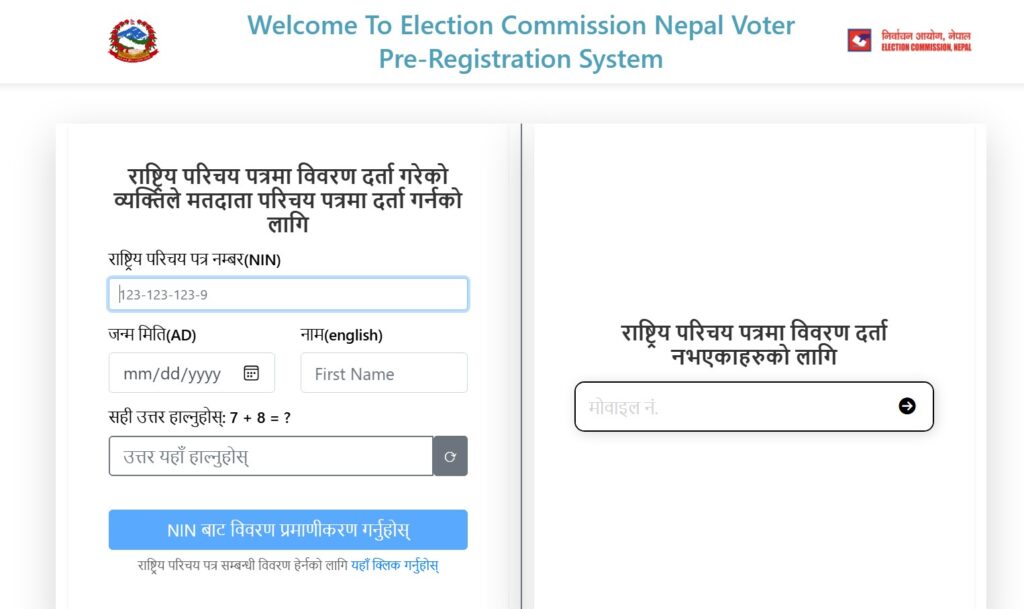
Here are the steps to register your voter ID with the National ID card:
- Go to election.gov.np
- Click on Online Pre-Enrollment or click applyvr.election.gov.np to enter the portal directly
- Click on New Registration, choose the left option, and enter your National ID card details
- Click on the last option at the bottom to get verified from NIN
- If the details you have entered match your details registered in the NID, then you can proceed
- Enter your details according to your citizenship
- Enter more details if required and click Next
- Confirm your disability status and click on Register
- After this, your voter ID registration with NID is complete
Message from ENC after approval
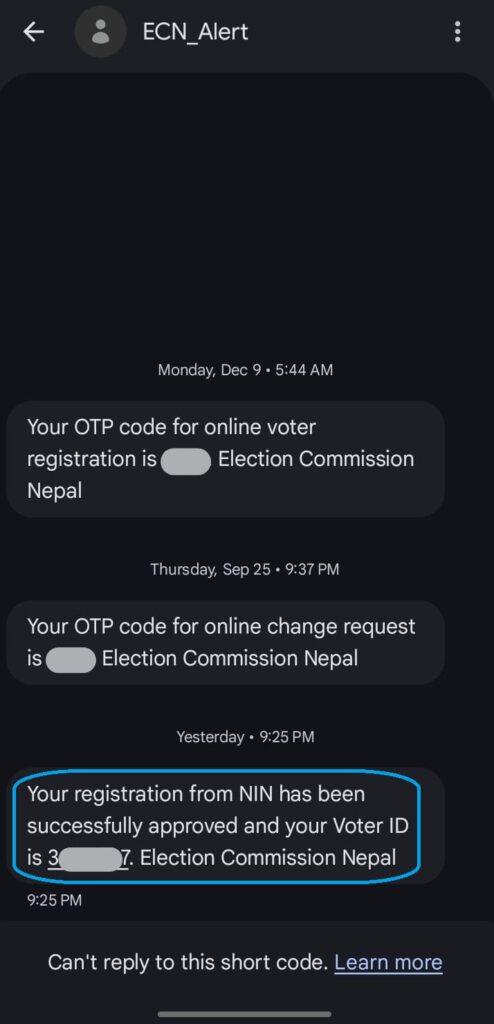
After your voter ID registration is successful, you get a message from ECN telling you that your registration has been approved. Make sure that you keep your voter ID. This message looks like this:
And if you don’t see your name while checking voter ID online, don’t worry. The list shall be updated later with your name.
Conclusion
The facility from the government to register voter ID with the National ID card is worthy of appreciation. This removes the need to travel to the election office for biometrics. Because while making the NID card, the concerned citizens have already done their biometrics. It’s also good to know the government is taking election matters seriously and integrating digital infrastructures to facilitate the necessary proceedings. By bringing interoperability of NID into the election registration system, the government is doing a good service to the citizens. Also read: Traffic Police Accept Driving License on The Nagarik App
The only quibble here is that not all the citizens have their National IDs yet, but the number of people without them has gone thinner these days. Anyway, for them, the online system is still there, and the only extra effort they require is to visit the nearby election office. With NID, the system has become just more convenient.
Check out: How to know election candidates from all the constituencies?
Only after a complete registration of your voter ID can you be eligible to cast votes in Nepal’s elections. And thanks to the government, the electronic process has allowed thousands of people to register easily at their convenience. For any further information, do let us know in the comments section below.










Voter card